Music player for iPhone
SLEEVE
I designed an iPhone music player around the feel of taking a record out of its sleeve. You can browse by cover, build a mix around a mood, or turn the disc to find a moment in a track.
See the iPhone interface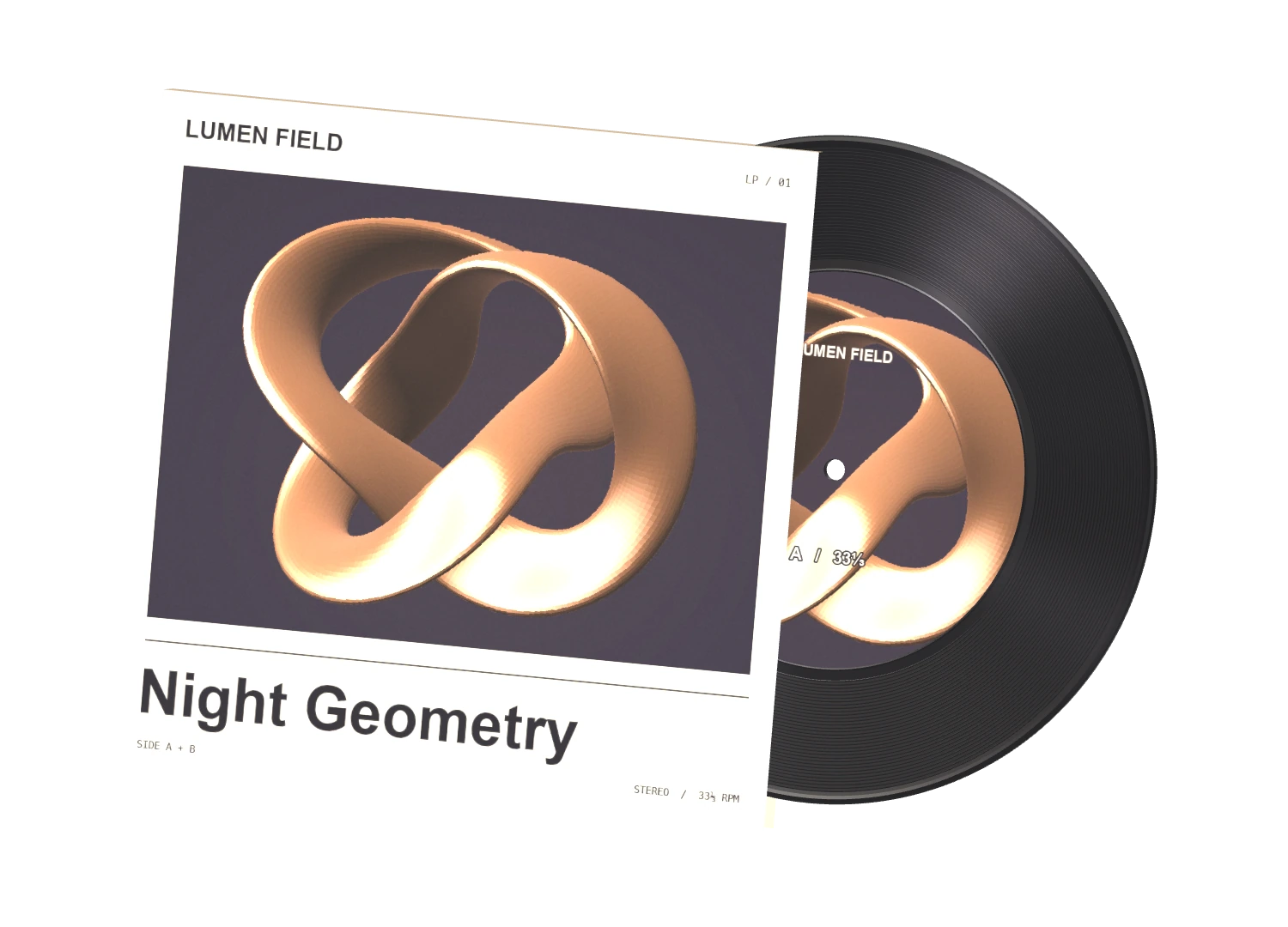
- Industry
- Media & entertainment
- My contribution
- Product design, 3D art direction and iOS prototyping
- Project status
- Working native iPhone prototype
- Tools and methods
- SwiftUI, Metal and 3D modeling
Design process
From the collection to the turntable
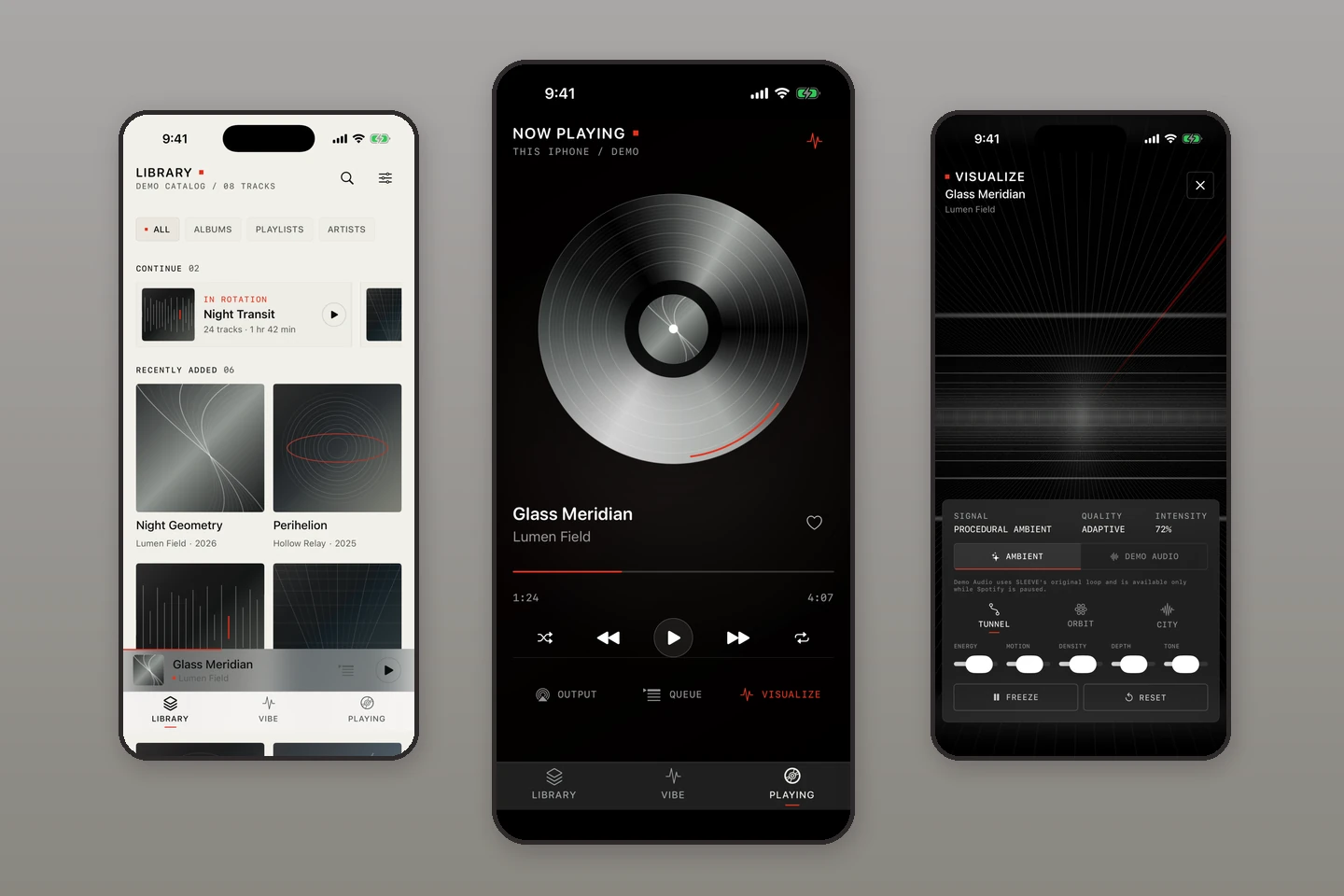
Follow the native iPhone interface from browsing to playback. The earlier prototype and its compact-screen test show where the design began.
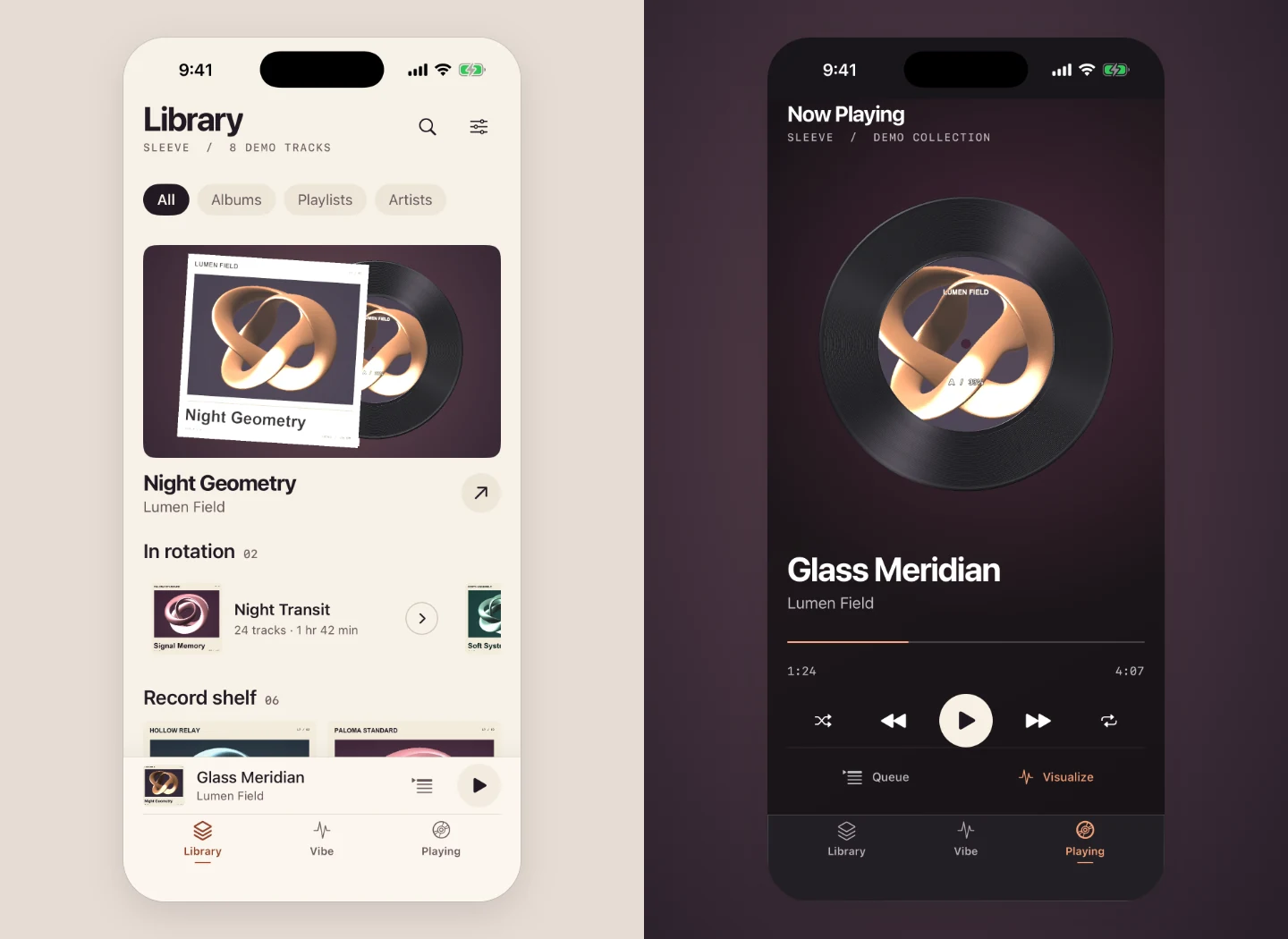
Find a record, then play it
Night Geometry carries its artwork from the collection to the player. The library keeps the album and artist together. Now Playing keeps the record, track title and transport together, with labeled Queue and Visualize actions below.
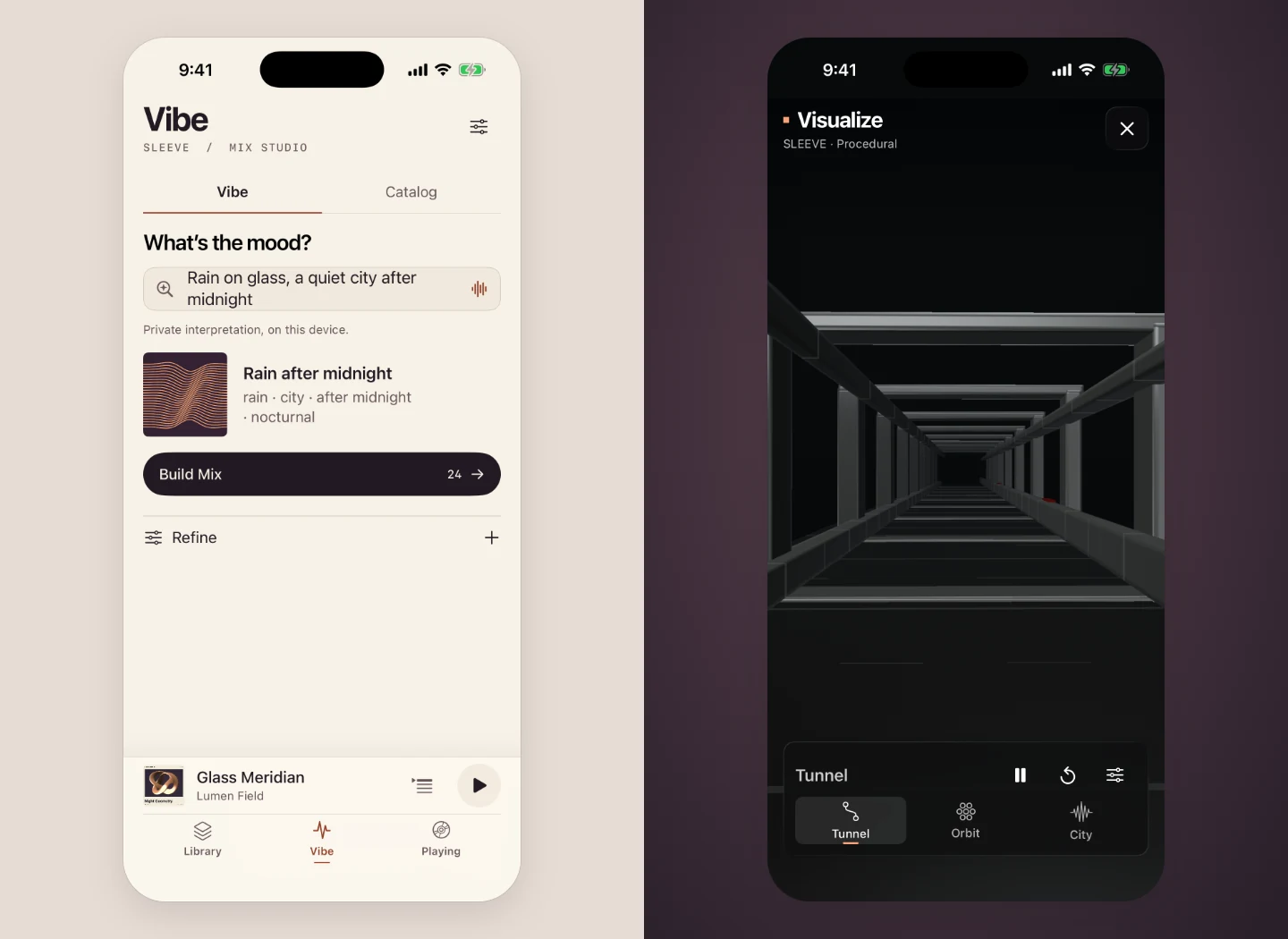
Move from a mood to a mix
Vibe turns “Rain on glass, a quiet city after midnight” into a mix the listener can build and refine. During demo playback, Visualize opens a separate Metal scene with its own controls.
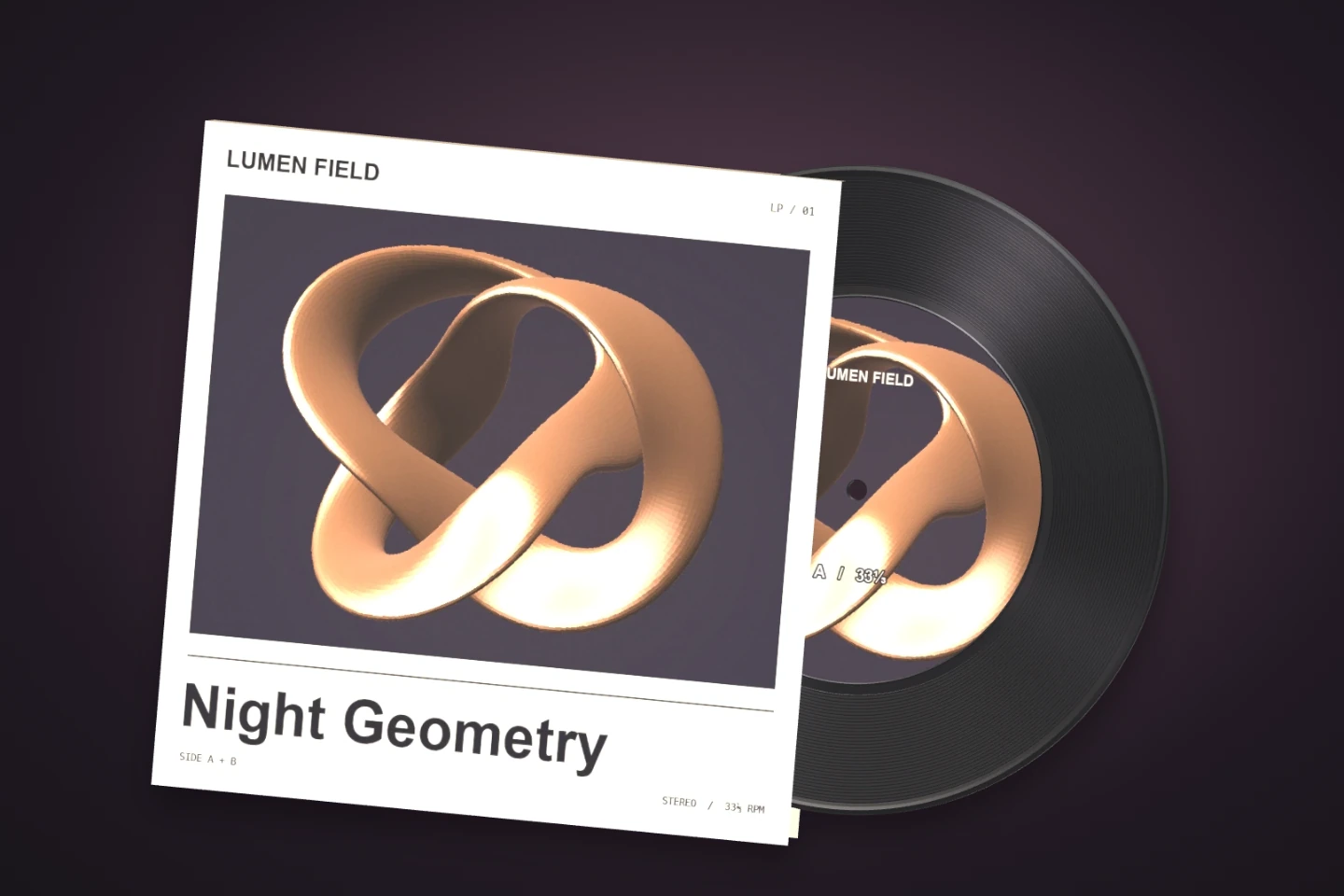
Design a record that catches the light
The jacket has a paper edge. The disc has a beveled rim, a center hole and concentric grooves. Rotating the object shows how the two materials respond differently to the same light.
Trace the original listening flow
The first build established three separate tasks. Library was for browsing, Now Playing for transport, and Visualize for ambient scenes driven by SLEEVE’s own demo audio.
Give the library back its space
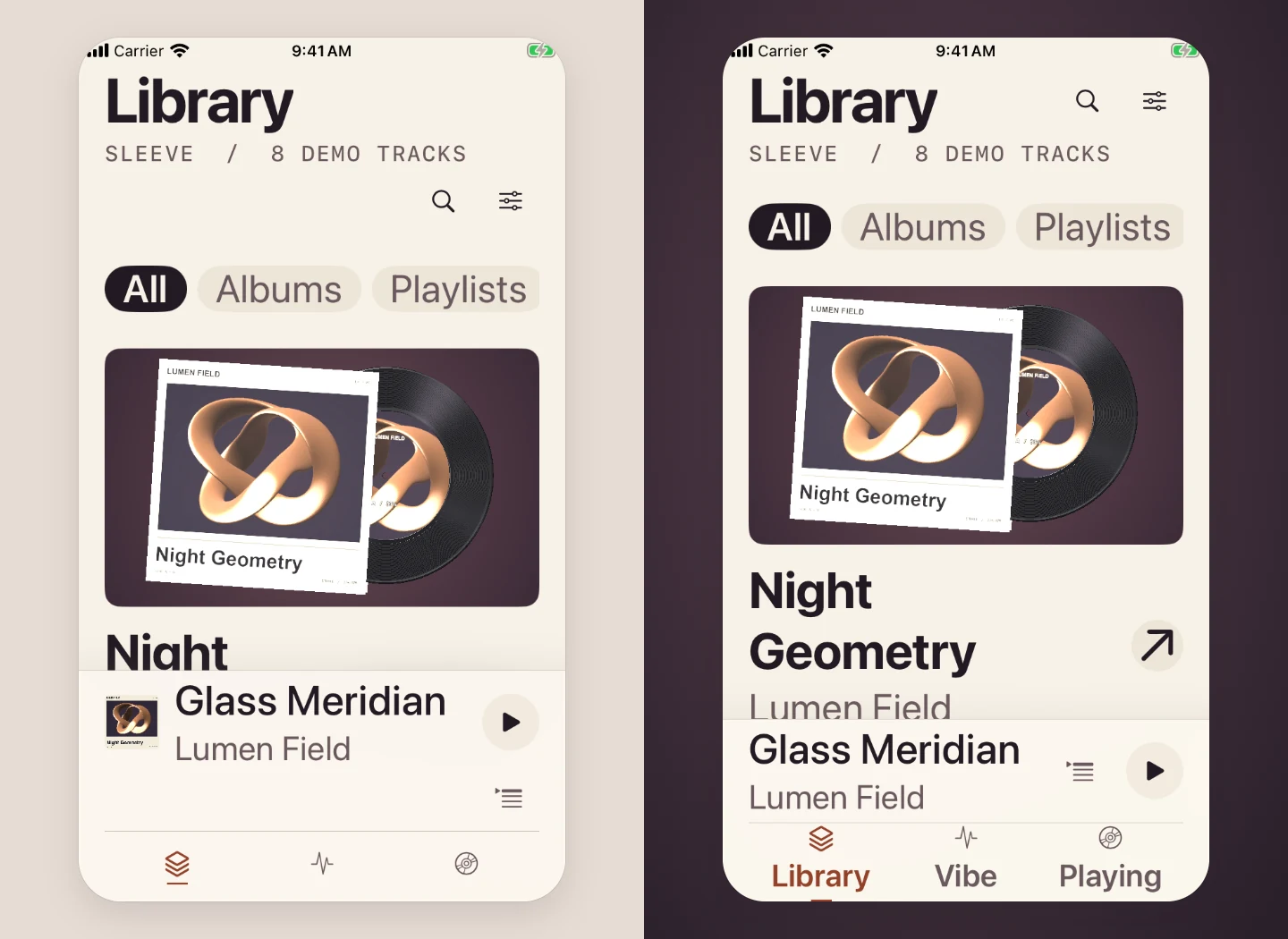
At Accessibility Large, the mini-player used a separate row for the queue. Putting queue and playback together recovered 37.5 points of height on iPhone SE. Each control keeps a 44-point touch target, the navigation labels stay visible, and the queue opens at full height for larger text.
Keep the mix builder reachable
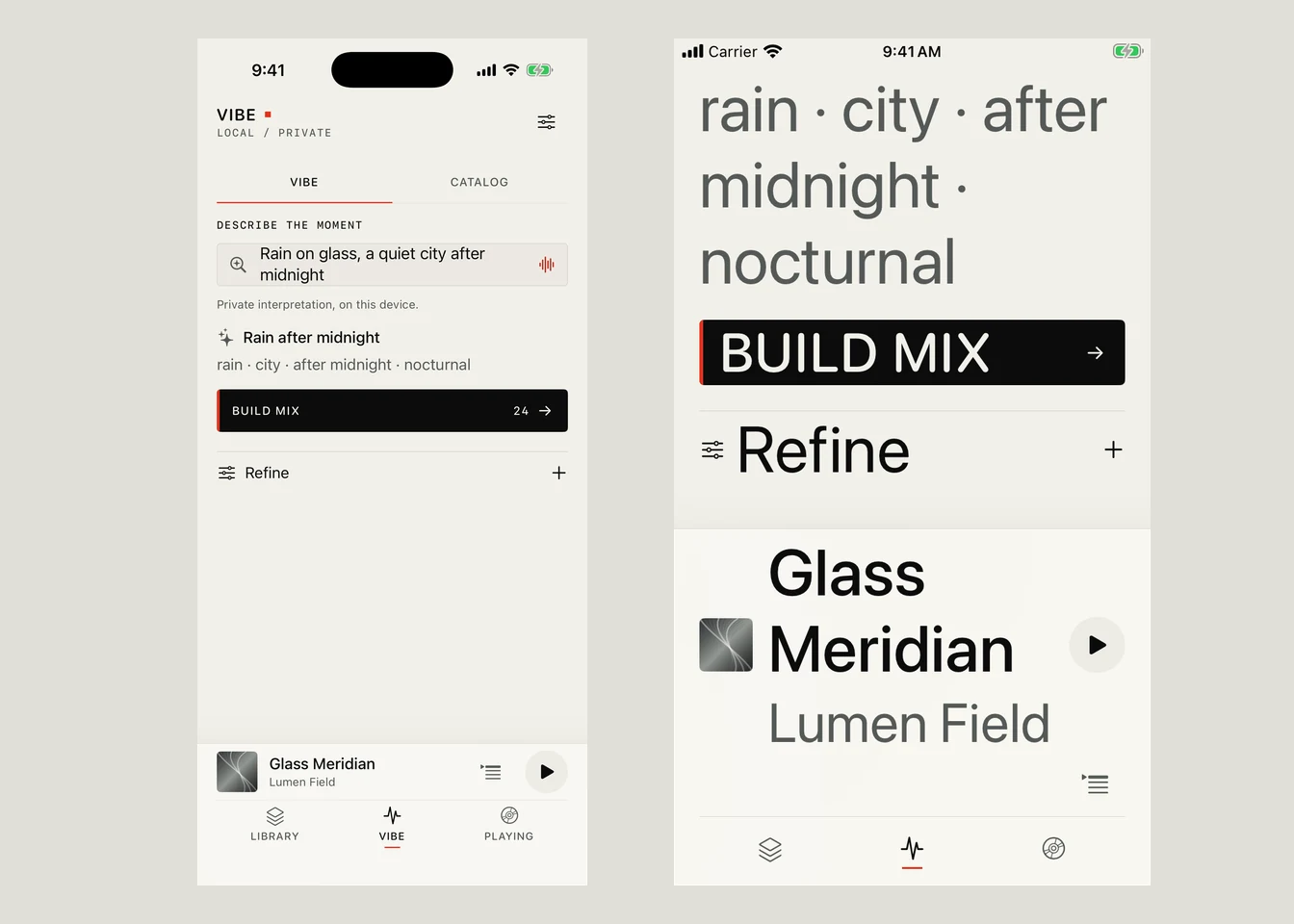
These captures show the original Vibe screen at two text sizes on a 375 × 667 simulator. Build Mix and Refine remain on screen at the larger setting.
The 3D study above is interactive in a browser. The listening screens shown here are captured from the native iPhone prototype.
Give each listening task its own space
Choose by cover
The library puts the jacket beside the album and artist. A mini-player keeps the current track in reach while the listener moves through the collection.
Make the vinyl the control
The rim catches the light as the disc turns. The artwork on its center label stays upright. In the app, tap the disc to play or pause, rotate it to seek, or use the native transport controls.
Start a mix with a mood
Vibe gives the listener a place to describe what they want to hear. They can build a mix from that description and open refinement when they want more control.
From a jacket on the shelf to a track in the queue
The native prototype brings the library, mood-based mixes, turntable, and queue into one listening flow. The ambient visualizer runs with SLEEVE’s own demo audio.